
The best settings depend on the application. A highway camera, a warehouse camera, and a medical imaging device may all need different tuning choices.
Testing ISP Tuning in Real Conditions
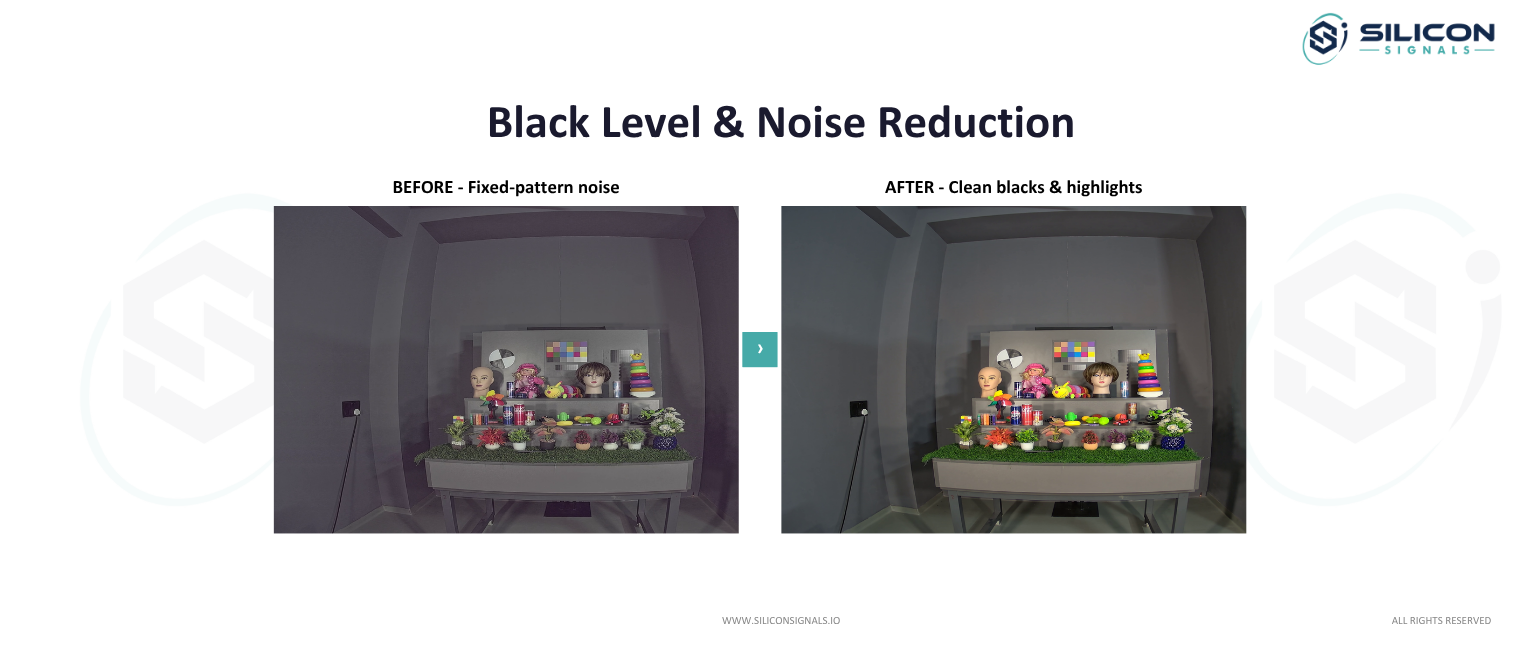
A camera should be tested in the conditions it will face after installation. The test plan may include:
- Bright outdoor scenes.
- Backlit subjects.
- Vehicle headlights.
- Wet roads and reflective surfaces.
- Warm and cool lights together.
- Low-light indoor scenes.
- Moving people and vehicles.
- Day-to-night transitions.
- Artificial lights that can cause flicker.
- Different sensor and lens samples.
Static charts are useful, but they are not enough. Engineers should also record real movement and changing illumination.
A structured image tuning and camera testing process can help identify these problems before the camera moves into production.
How Should ISP Tuning Handle Rapid Changes in Lighting?
Surveillance cameras frequently move between lighting conditions, for example, when a vehicle enters a covered area or when daylight changes rapidly. Poor transitions can make the image visibly unstable.
Preventing Exposure Hunting
Something that affects exposure for the entire frame is called “image cap.” One of the most common causes is a bright light source. For example, a subject standing next to a vehicle may not be recognizable if the vehicle’s headlights “image cap” the frame.
Smoothing Brightness Transitions
A vehicle moving from a covered area into direct sun needs a smooth brightness transition, not an abrupt jump. ISP tuning controls the rate of exposure change so the transition looks natural rather than jarring.
Managing Sudden Shadow Changes
Changes in weather and time affect shadow patterns. ISP tuning has to determine how to differentiate changes in actual lighting from variations in a scene that are irrelevant. This way, the image doesn’t adjust to every single changing shadow.
Avoiding Visible Color Temperature Shifts
Rapid lighting changes can also shift the ISP’s white balance decision abruptly, producing a visible color temperature jump. Slowing the white balance response during fast lighting transitions keeps IP camera image quality stable during the shift.
How Do Artificial Lights Affect ISP Performance?
Artificial lighting can cause flicker, shifts in color, and variation in exposure. These can be noticeable when testing in standard daylight conditions. LEDs and fluorescent bulbs are common examples of artificial lighting.
Detecting Flicker From LED and Fluorescent Lighting
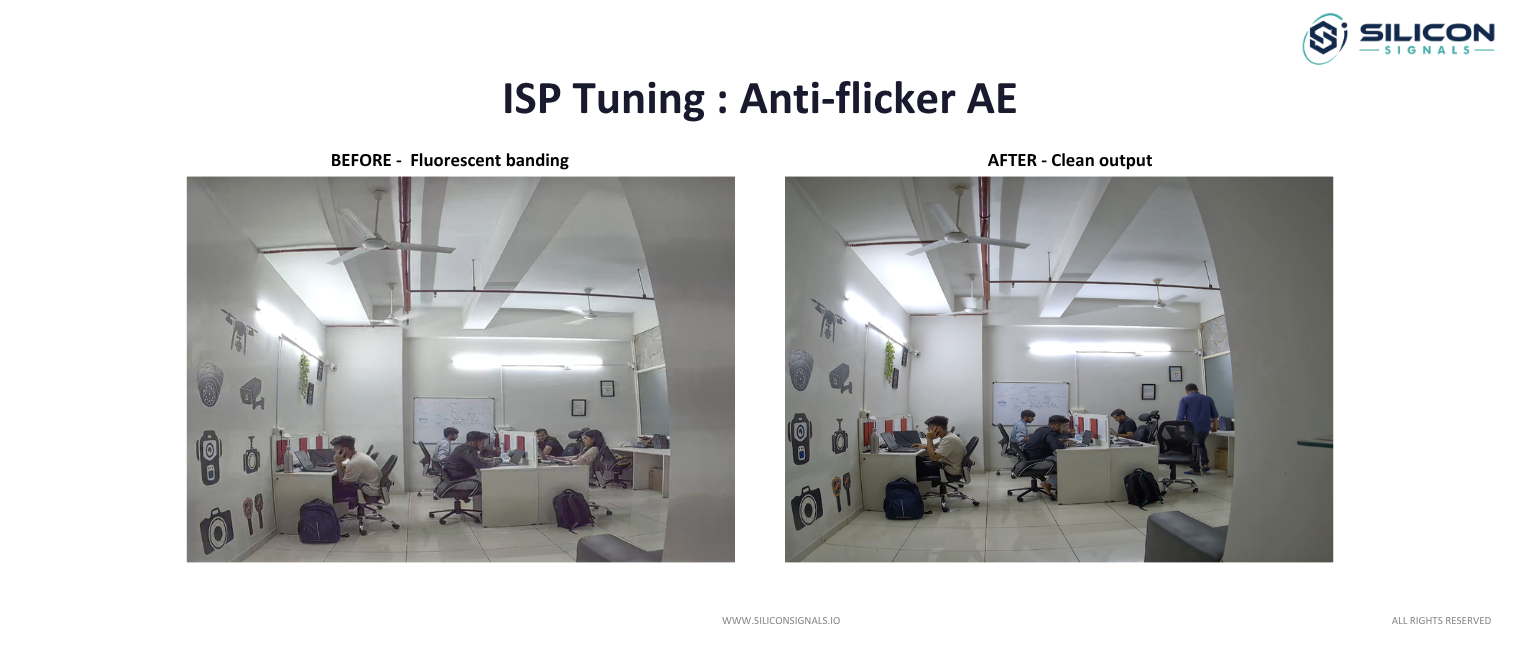
LED and fluorescent lights pulse at the frequency of the power supply, invisible to the eye but visible to a camera sensor unless the ISP compensates. Flicker detection identifies this pulsing pattern before it appears as banding in the recorded image.
Matching Exposure to Local Power Frequencies
How often images refresh is determined by the power standard in that region, whether it be 50 Hertz or 60 Hertz. Images can’t be displayed smoothly without ISP tuning. Without correct tuning, images may still experience the “flicker” effect.
Managing Artificial-Light Color Reproduction
Artificial lighting rarely reproduces color the way daylight does. ISP tuning accounts for the color rendering characteristics of common artificial sources so that object colors remain recognizable rather than shifted toward the light source’s dominant wavelength, which directly affects IP camera image quality in mixed-source environments.
Reducing Banding and Temporal Artifacts
Uncorrected flicker produces visible banding that moves through the frame over time. ISP tuning reduces this through synchronized exposure timing and, where needed, temporal filtering that smooths out the pulsing pattern without softening real motion in the scene.
What ISP Tuning Issues Appear Only in Real-World Scenes?
Some image problems are difficult to reproduce with standard test charts. Field scenes can reveal interactions between lighting, motion, reflections, and scene content that controlled testing may miss.
Color Casts From Surrounding Light Sources
A nearby colored surface, sign, or light source can bias the ISP’s white balance calculation in ways a test chart never reveals. Field testing surfaces these color casts before deployment, something lab testing alone often misses.
Bright Spots That Trigger Incorrect Exposure
In the field, a small, very bright object or a distant, very weak light source may cause a reflection or specular reflector to greatly change the exposure and underexpose the rest of the scene.
Noise Patterns in Dark Textured Areas
Textured surfaces such as foliage, gravel, or brick produce noise patterns in low light that differ from the noise seen on flat test targets. Low-light ISP tuning validated only against flat surfaces can look clean in testing and noisy in the field.
Unstable Image Behavior During Scene Changes
Passing vehicles, moving branches, and changing cloud cover can all trigger visible instability in exposure or color if the ISP tuning is not validated against real scene variability, not just controlled lighting changes.
How Can OEMs Build a Lighting-Specific ISP Tuning Strategy?
Instead of relying on one universal configuration, OEMs can define tuning targets around the environments where their cameras will actually operate.
Identify the Camera’s Most Difficult Scenes
Every deployment has a handful of lighting conditions that cause the most problems, whether that is a headlight-heavy parking lot or a warehouse with mixed fluorescent and daylight. ISP tuning should start with these scenes rather than a generic baseline.
Define Image Priorities for Each Environment
A retail camera prioritizes color accuracy for loss prevention review. A perimeter camera prioritizes motion clarity and low-light ISP tuning for nighttime detection. These priorities should guide tuning decisions rather than applying one configuration across every use case.
Create Scene-Specific Tuning Targets
Instead of one universal profile, OEMs benefit from defining separate tuning targets for daylight, mixed lighting, and low-light conditions, each validated against the scenes identified earlier. This produces more consistent IP camera image quality across the camera’s actual operating range.
This approach is especially useful when designing IP cameras for areas with changing daylight, headlights, glare, and artificial lighting.
Compare Behavior Across Lighting Transitions
Testing should include the transitions between conditions, not just the conditions themselves. A tuning profile that performs well in daylight and well at night can still fail during the transition between the two, which is often where ISP tuning problems become visible to end users.
Conclusion
Getting ISP tuning right across mixed, extreme, and rapidly shifting lighting takes iterative testing against real scenes, not just lab charts. Camera OEMs that treat low-light ISP tuning as a core differentiator, rather than an afterthought, ship products that hold up in the field. Silicon Signals is a camera design company that specializes in camera development, including ISP tuning for demanding lighting environments, helping OEMs turn sensor hardware into dependable IP camera image quality.
